
Privacy & Sharing
DearDiary.Net is built around the principle that you control who sees your words. When in doubt, the site always takes the most restrictive approach — if any setting in the chain is private, the content is private, full stop. The only exception is a shareable link you deliberately create and share yourself.
Privacy levels
Both diaries and individual entries have a privacy level. There are four options:
| Level | Who can read |
|---|---|
| Private | Only you (the author), when logged in |
| Followers only | You + followers you have approved |
| Public | Anyone — including visitors who aren't logged in |
| Secret | Only you, after entering your passphrase — entries are end-to-end encrypted in your browser |
Free accounts can only create private diaries. To use Followers only, Public, or Secret, you need a Plus membership.
Diary-level privacy
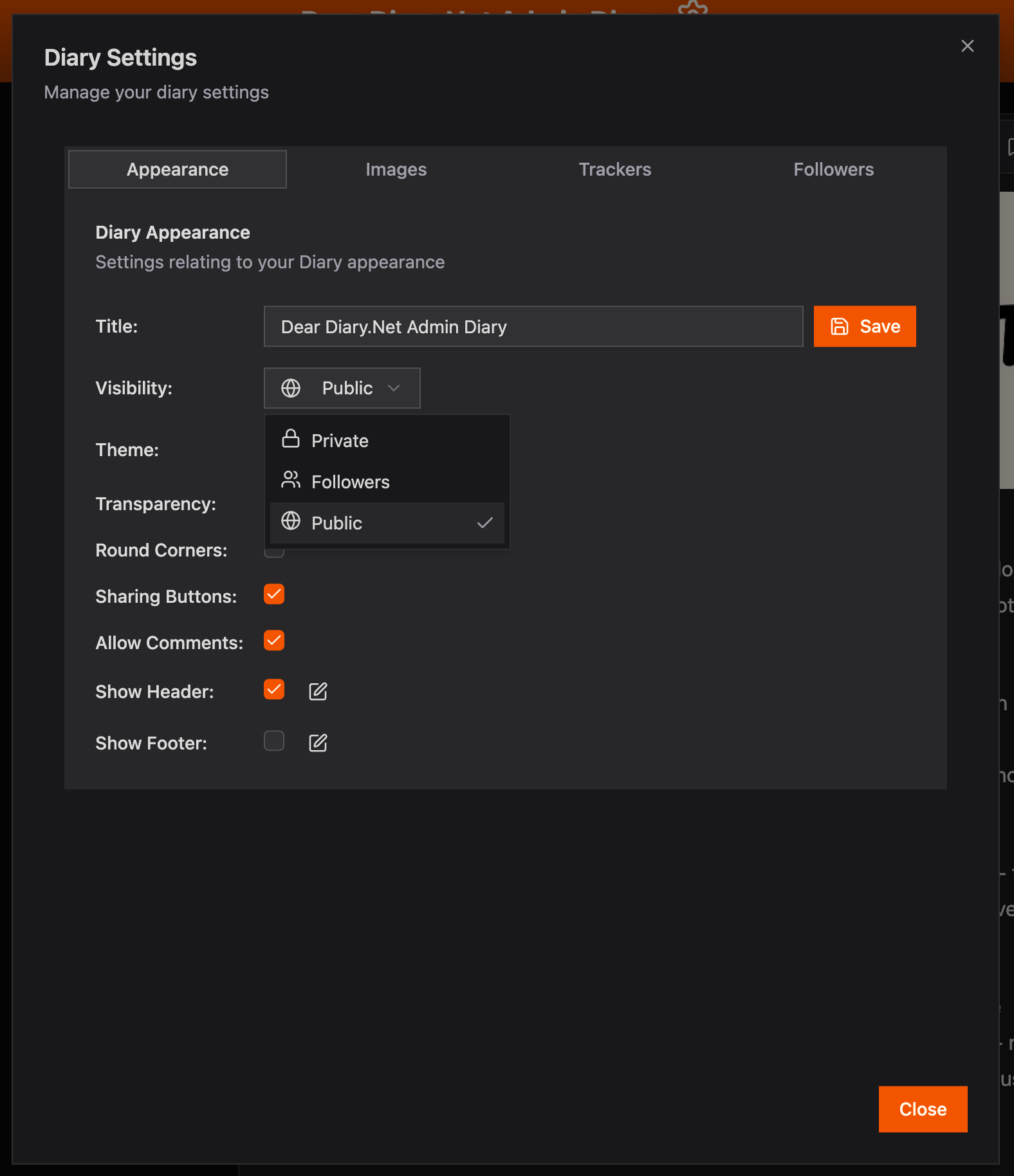
The diary privacy sets the default for new entries and controls who can find and access the diary at its public URL (/diary/:diaryId).
- A private diary is invisible to everyone except you. Its URL returns a "not found" response for other visitors.
- A followers only diary is visible at its URL only to approved followers and you.
- A public diary can be discovered via community feeds, search, and your public profile, and read by anyone.
Change your diary's privacy at any time in Diary Settings → Privacy.
Entry-level privacy
Each entry can override the diary's privacy — but only in the more restrictive direction.
- If your diary is public, you can set individual entries to followers only or private to hide them.
- If your diary is followers only, you can set individual entries to private.
The most restrictive setting always wins. A private diary means every entry in it is private, regardless of the entry's own privacy setting. You cannot make a single entry more visible than the diary that contains it.
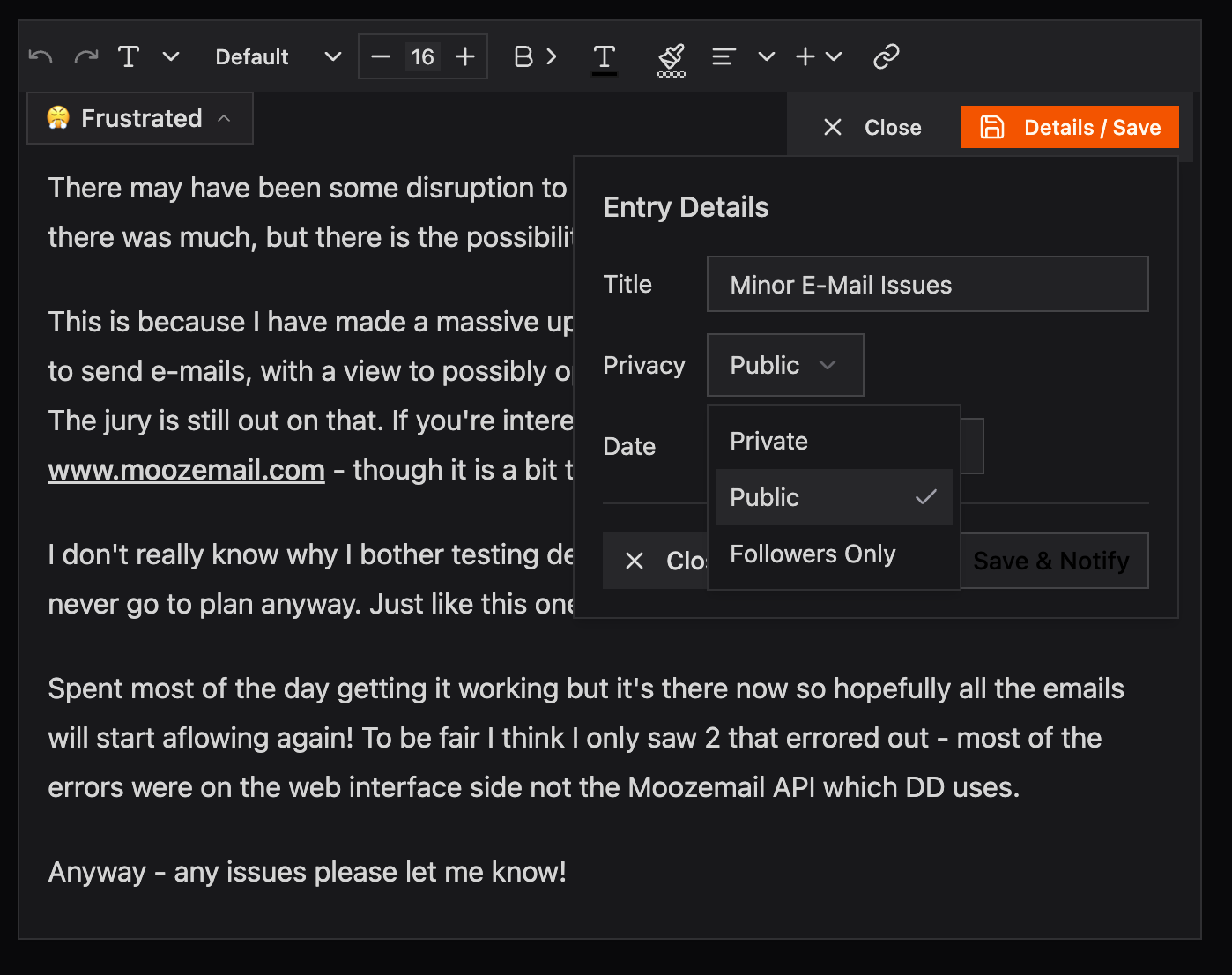
Set entry privacy from the privacy dropdown in the entry editor or via Edit Entry.
Secret Diary (end-to-end encrypted)
Secret is a fourth privacy level available to Plus members. Unlike private and followers-only entries — which are protected from other users but are accessible to the server — secret entries are encrypted in your browser before they leave your device. The server stores only ciphertext and cannot read your content under any circumstances.
- A secret diary has all entries encrypted. Secret diaries are permanent — you cannot change a secret diary to another privacy type.
- Secret entries can also appear inside any other diary type. Set an individual entry's privacy to Secret from the entry editor.
- Unlocking requires entering your passphrase once per browser tab. The session key is stored in
sessionStorageand clears automatically when you close the tab. - Secret entries do not appear in search, cannot be shared via shareable links, and are excluded from exports.
- The server verifies every save request contains genuine ciphertext — even a software bug or a crafted request cannot cause unencrypted content to reach the database.
For full details, see the Secret Diary guide.
Followers
Followers are people who have clicked Follow on your diary. Being a follower gives:
- Access to followers-only entries in that diary.
- Optional email notifications when you publish new entries.
Approving or blocking followers
You are always in control of who follows you:
- Open Diary Settings → Followers.
- New follow requests appear here. Click Approve or Block.
- Blocked users cannot follow your diary or see followers-only content.
Followers you approved can be removed at any time — they lose access to followers-only entries immediately.
Note: Blocking a user only blocks them from that specific diary. They could still see your other public diaries.
Shareable links
A shareable link lets you share one specific entry with anyone — bypassing the diary's and entry's privacy settings — without giving them full diary access. This is the one case where the most-restrictive rule does not apply.
- The link takes the form
/sharedentry/:uniqueCode. - It can be read by anyone who has the link, even without a DearDiary.Net account, even if the entry or diary is private or followers-only.
- Free accounts can create up to 3 shareable links per month. Plus members have no limit.
Public profile
Your profile page at /user/:username is public and shows a grid of your public diaries (those with at least one entry). Private and followers-only diaries are never listed.
Search & discoverability
For an entry to appear in DearDiary.Net's search results for other users, all three of the following must be true:
- The entry's privacy is public
- The diary's privacy is public
- The diary owner has a Plus membership
Private and followers-only entries are indexed for your own use only — they appear when you search My Diaries while logged in, but are never visible in search results to anyone else.
Public entries from Plus diaries may also appear in:
- The Community → Latest Entries feed on the homepage and dashboard.
- The On This Day tab.
- The Latest Updates page (
/latest-updates).
To remove an entry from all feeds, change its privacy to private or followers only.
Account security
Password
Change your password at any time from Account Settings → Password.
Passkeys
You can add a passkey to your account for passwordless sign-in using your device's biometrics or PIN. Manage passkeys in Account Settings → PassKeys.
Idle timeout
Set an automatic logout after a period of inactivity in Account Settings → Account Security → Idle Timeout. If you're away from your device, this ensures no one else can read your diary if your browser is left open.
Secret Diary session lock
If you use a Secret Diary, the passphrase session has its own configurable timeout (separate from the overall idle logout). When it expires, the session key is cleared from your browser and encrypted content is hidden until you re-enter your passphrase. You can also lock the session immediately using the lock button in the My Diaries card, or by switching to a non-secret diary. The timeout is configured in Account Settings → Secret Diary → Key Timeout. See the Secret Diary guide for details.
Account deletion
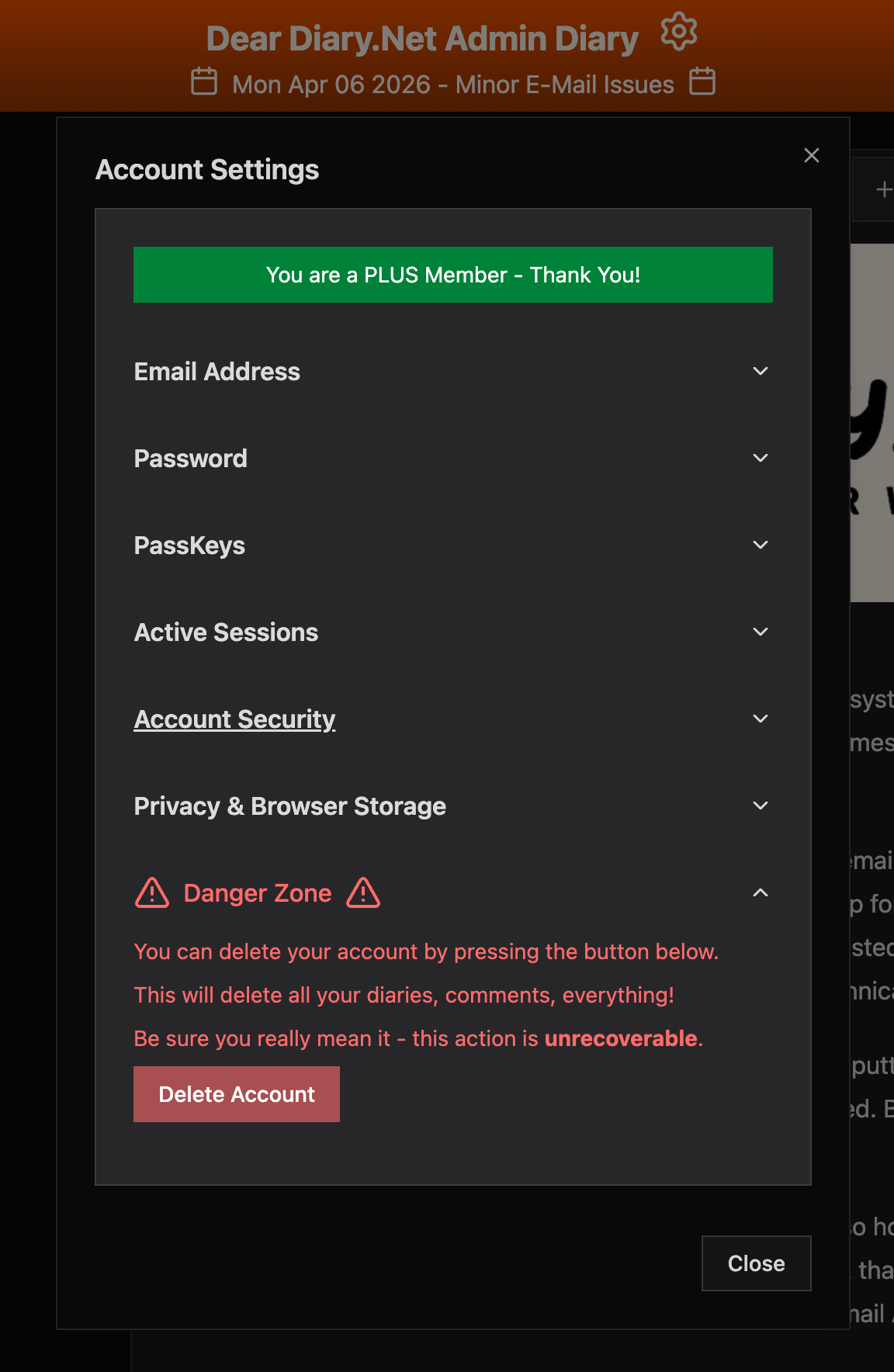
You can delete your account yourself from Account Settings → Danger Zone. Click Delete Account and a confirmation email will be sent — you must click the link in that email to confirm. Once confirmed, your account, diaries, entries, and all associated data are permanently deleted.
Data & privacy philosophy
- No advertising. DearDiary.Net is funded by Plus subscriptions, not by selling data.
- No tracking pixels or third-party analytics embedded in diary pages.
- No algorithms that surface content based on engagement; you see what you ask to see.
- Your private entries are stored encrypted at rest and are never read by staff.
- Secret entries are end-to-end encrypted. The server never has access to the key — not staff, not anyone. See the Secret Diary guide.